
Released: 8 June 2026
Software Metering has gone GA. That’s the headline, but this release is bigger than one feature. Here’s everything that shipped in 2026.5.
Agentless Software Metering#
Software Metering is now generally available for all Eido customers. It gives IT teams full visibility into which applications are actively being used across Intune-managed devices, with no additional agents required. It works through the existing Intune agent and Remediations, so there’s nothing new to deploy.
Use it to identify unused or underused software, clean up licences, and make smarter renewal decisions.
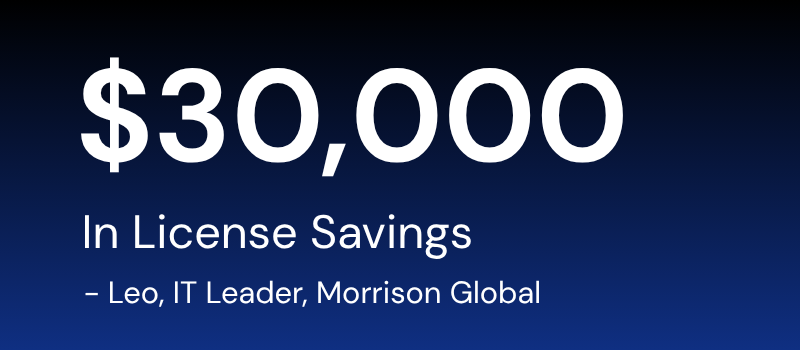
“We reduced broken configuration policies, cut unused licences, and saved approximately $30,000. The visibility Eido gave us changed everything.”
Leo M, IT Leader, Morrison Global
See App Metering and Setting up App Metering.
Lenovo and HP warranty support#
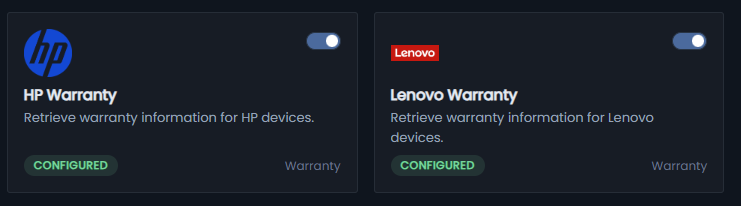
Warranty support now covers Lenovo and HP devices alongside the existing Dell integration. Configure Lenovo and HP from Admin > Integrations to get warranty visibility across all three vendors in one place.
See Integrations.
Advanced RBAC#
Advanced RBAC gives you granular, dynamic access control that goes well beyond native Intune RBAC scope tags. You can now delegate support access based on real-world device and user attributes: naming conventions, departments, locations, executive status, OS type, and more.
Example roles you can build:
- USA Support Team: access only devices where the device name begins with USA, and the assigned user’s department is not C-Level Executives
- VIP Support Team: access only users within the C-Level Executives department
- London Office Support Team: access only devices where the primary user’s department is London
- iOS Mobile Team: access only devices running iPhone iOS or iPad iOS
Why it matters:
- Reduce risk by ensuring support teams only see the devices and users relevant to their role
- Dynamic scoping adapts automatically as users, departments, or devices change
- More precise delegation and separation of duties than standard Intune scope tags
See Roles.
Computed Columns#
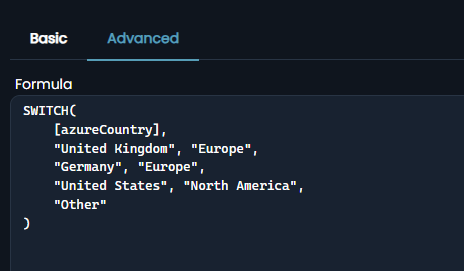
Computed Columns let you create custom values from your existing Intune data without touching the source dataset. Two modes:
- Basic Mode: guided tools for common scenarios: map values, categorise data, combine text, transform values, extract date parts. No syntax required.
- Advanced Mode: Excel-style formulas with support for IF, SWITCH, CONCAT, DATEDIFF, logical operators, and nested functions for more complex logic.
Once created, computed columns are reusable across reports and dashboards.
See Computed columns.
Drill down in reports and dashboards#
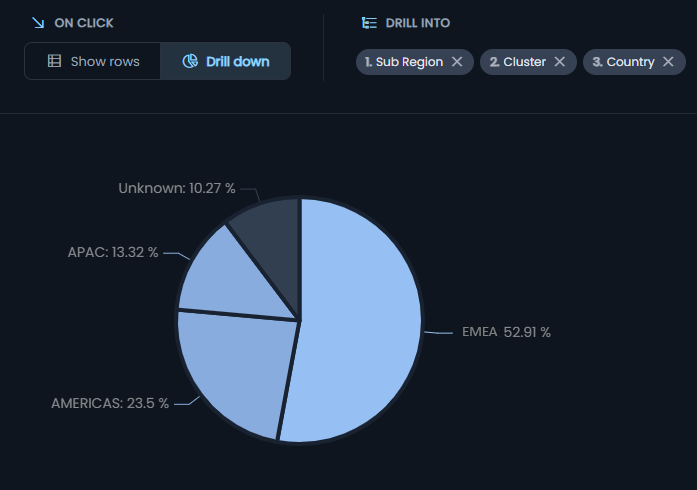
Drill-down is now available in Reports and Dashboard Custom Widgets. Explore data across multiple levels directly within charts, for example Region, then Sub Region, then Cluster, then Country. Unlimited drill-down levels. No exporting to investigate the data beneath a chart.
Wallboard Mode#
Wallboard Mode allows teams to create rotating dashboard playlists for shared displays and operational screens, with simple screen pairing and configurable dashboard rotation timings.
- Wallboard Playlists: create wallboards with rotating dashboard playlists
- Configurable Rotation: set how frequently dashboards change on screen
- Easy Screen Pairing: link displays using a simple pairing code process
- Multi-Screen Support: deploy wallboards across offices, NOCs, service desks, and shared spaces
- Live Dashboard Display: keep operational and reporting dashboards visible in real time
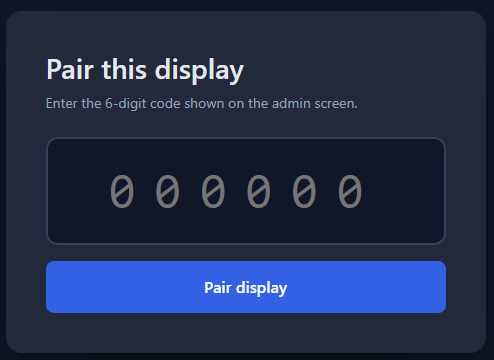
See Wallboards.
More QueryHub reports#
Four new reports have been added to QueryHub:
- All Policy Settings: view all current settings extracted from your Intune policies
- Policy Setting Changes: track historical changes showing when settings were modified or removed
- Setting Conflicts (by device): identify true conflicts where different values for the same setting target the same device
- Setting Overlap (by device): detect settings delivered from multiple policies to the same device to spot redundancy
Export Jobs#
Export Jobs let you send any QueryHub view automatically to Azure Blob Storage for use by external tools and teams.
- CSV and JSON output
- Overwrite or preserve mode (single live dataset or full historical exports)
- Scheduled exports with intervals as low as one hour
See Export jobs.
Free tools by Eido#
Not yet an Eido customer? These free tools give you instant visibility into your Intune environment, with no trial sign-up required.
- Intune Health Check: get a snapshot of how your Intune environment is performing across compliance, configuration policies, and device health, in minutes, for free.
- Software Waste Estimator: see how much you’re spending on software licences that aren’t being used. Enter your app data and get an estimate of what you could cut on your next renewal.
If you’re not yet an Eido customer, book a personalised demo here.